Topmediai®

Voice tool comparison

A topmediai review for choosing your voice workflow

Topmediai brings voice and other creative tasks into one place. This review asks a narrower question: should you use a broad creative toolkit, or start with a workflow dedicated to producing spoken audio? The answer depends on your project, not a universal winner.

Verdict first: choose by the job

Choose Topmediai when you want to explore more than spoken audio. Choose a focused voice workflow when the script, delivery, and repeatability matter most. Test both with the same words before deciding.

Dimension by dimension: where comparisons fall short

A feature list cannot tell you how a voice will sound in your particular video, lesson, or narration. These limits matter more than a generic score.

A review cannot rank every voice

Voice quality changes with the script, language, pronunciation, pacing, and intended audience. A lively character read may be wrong for a calm explainer, even if both sound convincing in isolation. Neither a screenshot nor a general recommendation can establish which delivery fits your work.

Workaround

Prepare one short, representative passage and compare the same text at a similar pace in each workflow.

Feature breadth is not task performance

Topmediai's wider creative scope may appeal if your project includes music as well as voice. That breadth does not, by itself, show that a particular voice will handle names, numbers, or emotional shifts the way you need. Conversely, a focused workflow is not automatically better simply because it offers fewer choices.

Workaround

Judge the output against your actual use case: clarity, tone, revisions, and how easily you can repeat a good result.

Availability and terms can change

Tool interfaces, output options, usage conditions, and access rules may change. This page does not verify a current file-format list or promise that a specific control will be present when you visit. Those details can affect whether a promising sample fits your production process.

Workaround

Check the live tool's available controls and applicable terms before building a recurring workflow around it.

Audio cannot be judged from images

The visual comparison below illustrates two ways to approach the decision; it is not a blind listening test or proof that either service sounds better. A polished interface can help you work, but it cannot replace hearing the generated speech at normal playback speed.

Workaround

Listen on the device your audience is likely to use, then check any difficult words again.

Who each approach suits

A quick decision process is more useful than declaring one tool best for every creator.

  1. 1

    Name the finished deliverable

    If you need a narrated lesson, product explanation, or short voiceover, make spoken audio the first test. If you are still exploring a broader creative concept involving voice and music, Topmediai's range may be more relevant. Write down what must be finished today, not every feature you might use later.

  2. 2

    Test a demanding script

    Use a passage with a proper name, a number, a question, and a sentence that needs a change of emphasis. Keep the wording identical between tools. Listen for understandable pronunciation, natural pauses, consistent volume, and whether the delivery matches the audience. A short promotional sample rarely exposes these problems.

  3. 3

    Repeat one revision

    Change a sentence after the first result and see how straightforward it is to reproduce the voice and tone. The better fit is the workflow that lets you make the revision you actually expect to make. Save your script and evaluation notes so the choice remains useful on the next project.

Migration path: a side-by-side checklist

This table compares ways of working, not unverified output specifications. In this topmediai review, the deciding factor is whether your project benefits from broad exploration or a voice-first process.

Topmediai creative toolkit
Focused voice workflow

Starting goal

Topmediai creative toolkit

Explore a creative project that may call for voice alongside other generated media.

Focused voice workflow

Turn a defined script into spoken audio and assess the delivery.

Best first test

Topmediai creative toolkit

Try a representative idea and identify which creative tasks you actually need.

Focused voice workflow

Read the same representative script and inspect its pronunciation and pacing.

Decision priority

Topmediai creative toolkit

Whether the range of tools helps you move from concept to a usable result.

Focused voice workflow

Whether you can get the intended read and repeat it after an edit.

Potential distraction

Topmediai creative toolkit

Exploring options that do not contribute to the immediate deliverable.

Focused voice workflow

Over-polishing a voice sample before the script itself is settled.

Revision test

Topmediai creative toolkit

Return to the project and check how easily you can update the relevant output.

Focused voice workflow

Change one line and check voice consistency across the revised passage.

Useful evaluation note

Topmediai creative toolkit

Record which tools contributed to the finished piece, not just which were available.

Focused voice workflow

Record troublesome words, preferred delivery, and the settings you used.

When to reconsider

Topmediai creative toolkit

Your project becomes mostly narration and the broader toolset goes unused.

Focused voice workflow

The project expands into several kinds of creative output beyond voice.

Compare the workflow, then hear the result

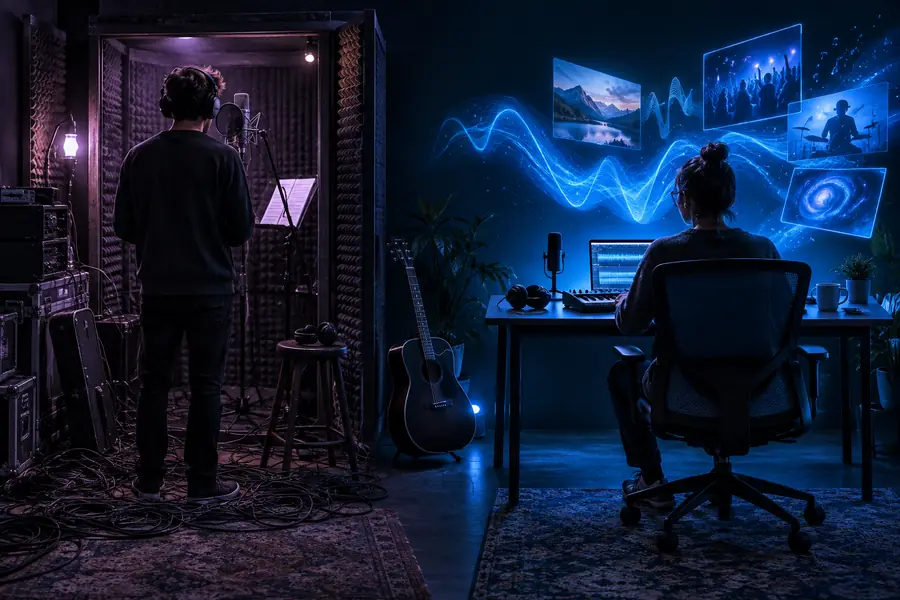
The images represent two evaluation approaches. They are illustrative, not samples of generated audio.

Illustration of evaluating a broad creative toolkit Explore the toolkit
Illustration of evaluating a voice-focused task Test the voice task
Start with a broad look if your deliverable is still taking shape. Once the script is clear, switch to a controlled listening test: identical text, comparable delivery, and a revision of the same line. The pictures show the change in approach, not a claim about which audio output wins.

Ready to test a voice-first approach?

Let your own script decide

Bring a short passage from your project, including the words most likely to cause trouble. Generate a sample, listen at normal speed, and revise one sentence. If the result fits your audience and remains consistent after the edit, you have stronger evidence than any general review can provide.

Try voice generation
  • Use the same script when comparing tools
  • Check pronunciation and tone, not just first impressions
  • Verify current usage terms for your project

Comparison FAQ

That depends on whether you will use its broader creative capabilities or mainly need spoken audio. Before committing time to a workflow, test a real script, make one revision, and check the current access conditions and usage terms. A tool is worthwhile when its output and editing process fit the projects you actually finish.

Choose based on the finished deliverable. A broader toolkit makes sense when you are exploring several creative tasks; a focused voice workflow is a sensible starting point when you already have a script and need to refine its delivery. Compare identical passages rather than unrelated showcase examples.

Check pronunciation of names and numbers, the placement of pauses, and whether emphasis supports the meaning. Listen through ordinary speakers or headphones you expect your audience to use. Then change one sentence to see whether the voice remains consistent.

It can give you a fair testing method, but it cannot hear your final script or know your audience's preferences. A voice that works for a character clip may not suit an instructional narration. Use reviews to narrow your approach, then judge a sample made from your own words.

Start creating
Start creating